Judge system preview from live shows

Example of the logic system in Ventuz 4
Combination of custom nodes (C#) and nodes provided by ventuz

On Judge Tablet: a Judge can give a good or bad marker for a specific moment during the performance

On Judge Tablet: Set marker explained

On Judge Tablet: Splitscreen Set marker during performance
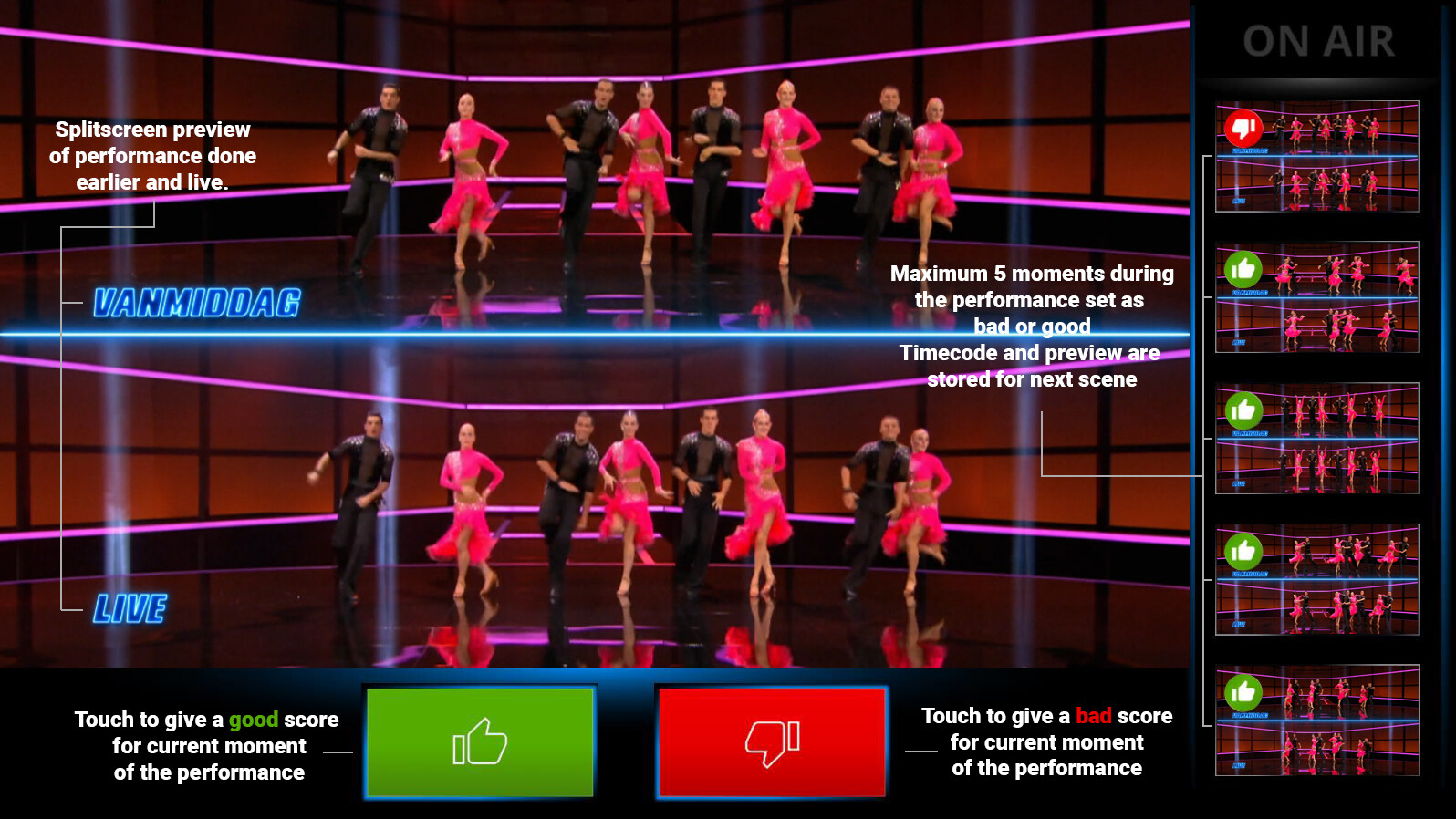
On Judge Tablet: Splitscreen Set marker during performance Explained

On Judge Tablet: Judge score interface

Judge score interface explained

On Judge Tablet: judge Interface after performance. The judge can control the EVS system with the interface

judge Interface explained
In my first year of working as a Technical Artist for NEP The Netherlands. I had the pleasure of working together with our development team to create a judge system for the show Dance as one for our client Talpa.
The system was created in ventuz 4 and was hooked to an api created by the development team.
Live performances where recorded to an EVS system with a Slow Motion Camera.
During each performance the judges could use their tablet to Set Markers give a score to the performance.
The timecodes and preview are then stored and can be revisited when they give feedback about the performance.
During the feedback round judges can:
- Scrub through the timeline.
- Go to any of the 5 previews they saved during the performance.
- Pauze the recording
- Play the recording in slow motion
- Play the recording in real time speed.
- highlight a part of the screen with a circle.
- highlight a part of the screen with a zoomed in circle. ( different camera FOV).
Going from slow motion play to real time an visa versa has an interpolation build in to ease the transition.
As previewed in the video the judges could handle the system very well and had fun using it. Each judge used the controles in a creative ways wich added a great flow to the show.

